
It is important to note that images are not purely decorative. They contain information that is recognized by search engines and, therefore, pages overloaded with bulky and improperly labeled images are bound to perform poorly and be difficult for users to access. Optimized images, on the other hand, ensure faster loading times, make the pages appear in image searches, and, overall, attract visitors and keep them interested. It is all about several simple habits that most sites overlook. In this guide, we discuss the optimization of images for On-Page SEO services.
Just imagine that an image is similar to a suitcase. If you do not fold any clothes when packing the luggage, then it is bulky and hard to handle. If you pack the luggage carefully, then it takes up less space.
Start with the Right Format and Size
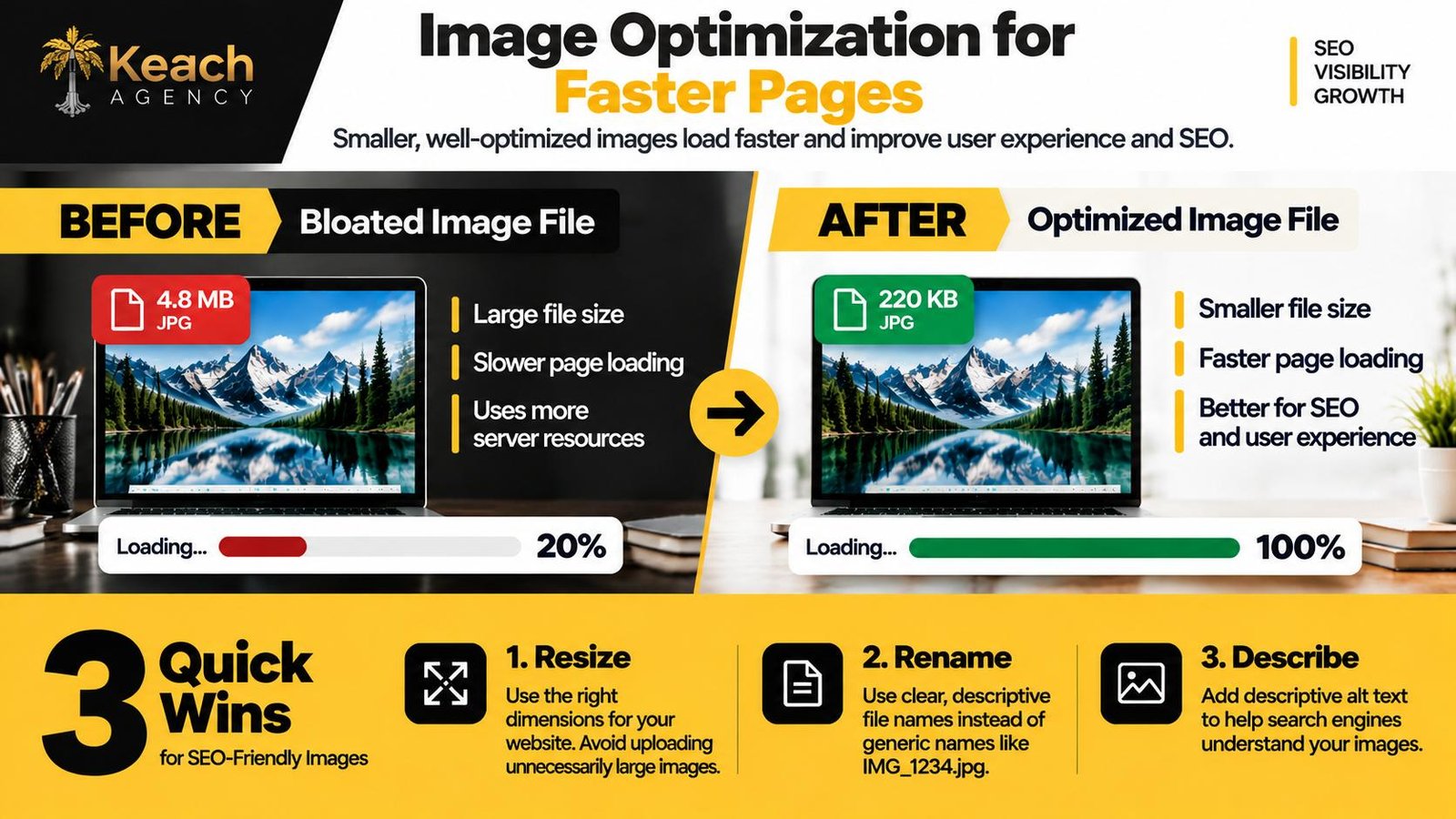
The first mistake most people make is uploading a giant file straight from a phone or camera. That image might look great on a retina display, but it weighs several megabytes. A visitor on a slow connection will wait, and Google will notice. The fix is simple. Resize the image to the dimensions you actually need.
If your blog displays images at 800 pixels wide, there is no reason to upload a 4000-pixel file. Then compress it using a tool that reduces file size without visible quality loss. JPEG works well for photographs. PNG is better for logos and graphics with transparent backgrounds. WebP is newer and often smaller.
File size affects more than speed. It affects crawl budget. Google has a limited amount of time to crawl your site. If every page is bloated with massive images, the crawler spends its time downloading files instead of indexing content. That means fewer pages get indexed, and your rankings suffer.
Image Optimization: From Slow Pages to Faster Performance
File Names and Alt Text Matter More Than You Think
By default, the image would be named as IMG_4821.jpg. This is useless information for Google. Name it properly, according to what the picture shows. For instance, if the picture is of a red running shoe, name it red-running-shoe.jpg.
Alt text is the written description that appears when an image fails to load. It is also what screen readers use for visually impaired visitors. A good alt text describes the image clearly and naturally. It is not a place to stuff keywords. If the image is decorative, leave the alt text empty so screen readers skip it.
Stop Letting Heavy Images Slow Your Site Down.
Let Keach Agency, which understands on-page SEO, fix the problem.
Headings That Guide Both Readers and Robots
Understanding H1 vs H2 vs H3 and how headings affect SEO helps both readers and robots navigate your content. The main title of a page is an H1. Subheadings are H2, and sections within those are H3. Using them correctly creates a hierarchy that crawlers can follow.
A common mistake is using headings for styling. If you want bold text, use bold. If you want a bigger font, use CSS. Do not use an H3 just because it looks nice. The difference between H1, H2, and H3 is not size. It is meaning. One H1 per page. Multiple H2s for main sections. H3s for subsections.
When you write headings, make them descriptive but not stuffed with keywords. A heading like “Image File Size and Page Speed” tells the reader what to expect. A heading like “image optimization for SEO services best practices” is clumsy and reads like spam. Write for humans first.
Title Tags and Meta Descriptions That Earn the Click
Understanding how to optimize title tags for SEO helps clarify what the H1 should add rather than duplicate. The title tag is the blue link that appears in search results. The meta description is the short paragraph below it. Neither is a direct ranking factor in the traditional sense, but they influence click-through rate, which does affect rankings indirectly.
A good title tag is under sixty characters and includes the main topic of the page. A good meta description is under one hundred sixty characters and gives the reader a reason to click. Think of them as an advertisement for your page. If they are boring or vague, people scroll past.
Understanding how to write SEO meta descriptions that get clicks takes practice. The key is to be specific and helpful. Instead of “Image SEO Tips,” try “How to Optimize Images for Faster Loading.” Instead of “We Do SEO,” try “On-Page SEO Services That Improve Speed.” The goal is to match what the searcher is looking for.
Bringing It All Together
Image optimization is not a one-time task. It is a habit. Every time you upload a photo, resize it. Every time you write a blog post, check your headings. Every time you publish a page, review the title tag and meta description. These small actions add up.
A fast site with clean code and descriptive alt text will outperform a slow site with bloated files every time. If you are already investing in on-page SEO services, make sure image optimization is part of the package. If you are doing it yourself, start with the biggest images first. Compress them, rename them, and describe them.
Your Images Should Work For You, Not Against You.
Let a team that cares about detail handle the optimization.
FAQs
How can I find out that my images slow down my website?
Use a free website speed test like PageSpeed Insights to see which images are too heavy and what amount of time is added due to them.
Is it OK to use the same alt text for several pictures?
No, since images are unique and the reuse of alt text means the presence of duplicate content, which makes no sense for a screen reader.
Do I need to use keyword-rich file names?
Yes, however, naturally. If it is an image of a blue coffee mug, use blue-coffee-mug.jpg, but don’t try to fill a file name with irrelevant keywords.
What image type should be used in SEO?
Usually, WebP is the best option since it provides excellent image quality at minimal file size. JPEG is OK for photographs. PNG is more appropriate for graphics with text.
How often should I refresh old images?
Every several months. If a page ranks well but is slow-loading, optimize images. Replace the photo of a changed product.