
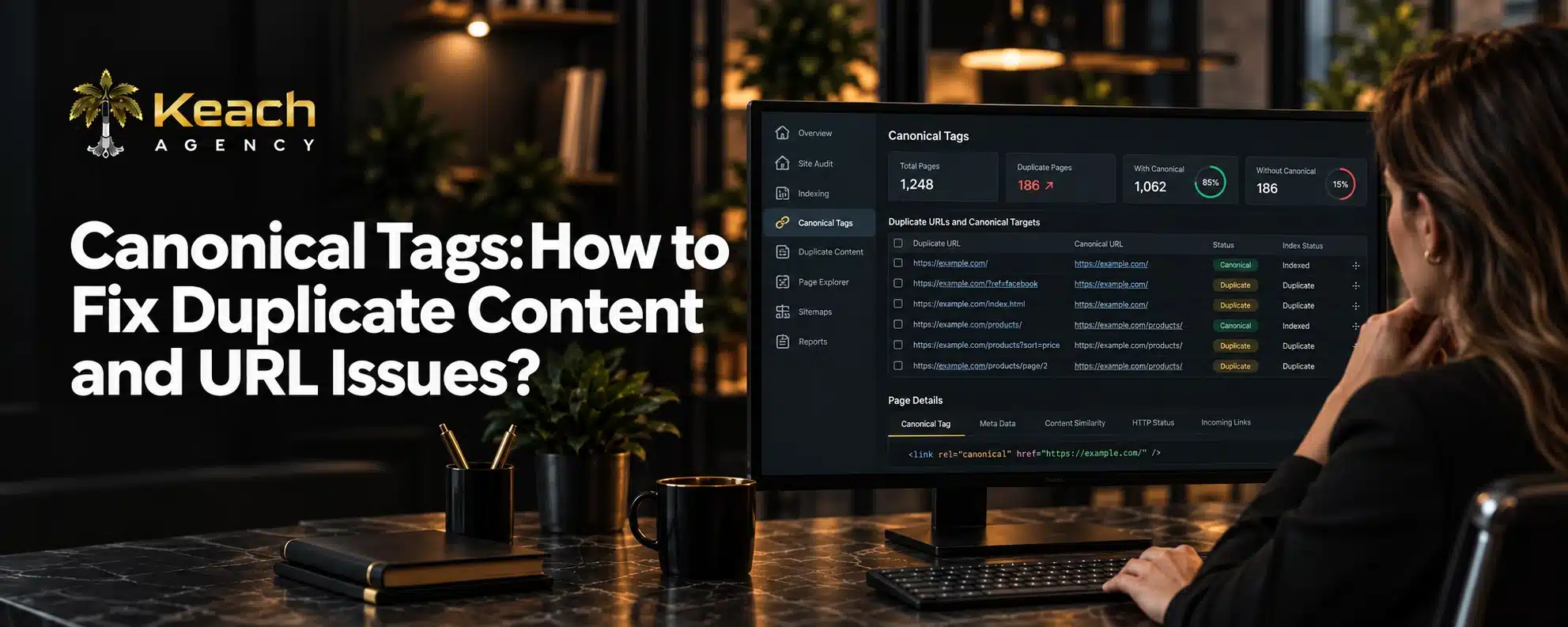
Google has a problem with your website. It is not the content. It is not the design. It is that the same page exists at multiple URLs. Google does not know which one to rank. So it ranks none of them well.
This happens more often than site owners realize. A product page accessible through three different filters. A blog post with and without a trailing slash. HTTP and HTTPS versions competing against each other. These duplicates dilute your authority and confuse search engines.
Canonical tags solve this problem. They tell Google which version of a page is the original. They consolidate ranking signals. They clean up the mess that duplicate URLs create.
What Canonical Tags Actually Do
The canonical tag is an HTML code. This appears on the head part of a webpage. This points out to the version of the page preferred.
When Google scans a page tagged with the canonical tag, the instruction is read. This basically means “This is not the main version.”That one is.” Google then consolidates signals to the canonical URL.
This is not a suggestion. It is a directive. Google generally follows it. But it also reserves the right to ignore canonicals if other signals conflict.
Why Duplicate Content Happens
Duplicate content rarely happens on purpose. It is usually a side effect of how websites work. E-commerce sites create duplicates through filters and sorting options. The same product appears at multiple URLs depending on how you navigate.
Content management systems generate duplicates through categories and tags. A single post might appear at the main blog URL, the category archive, and the author page.
Technical issues create duplicates too. WWW and non-WWW versions. HTTP and HTTPS. Trailing slashes and non-trailing slashes. Each variation is a separate URL.
Not Sure If Your Canonicals Are Correct?
A wrong canonical can hide pages from search results.
How Canonical Tags Fix the Problem
Canonical tags tell Google which URL is the source of truth. All other versions point to it. This consolidates ranking signals. Instead of spreading authority across five URLs, you concentrate it on one. That URL ranks better because it has more authority.
It also prevents indexing issues. When Google knows which URL to index, it stops wasting crawl budget on duplicates. This guide covers Google indexing and why some pages never appear in search results, including issues caused by canonical errors.
The process is straightforward. Identify the primary URL for each piece of content. Add a canonical tag on all duplicate versions pointing to that primary URL.
Canonical URL vs Redirect
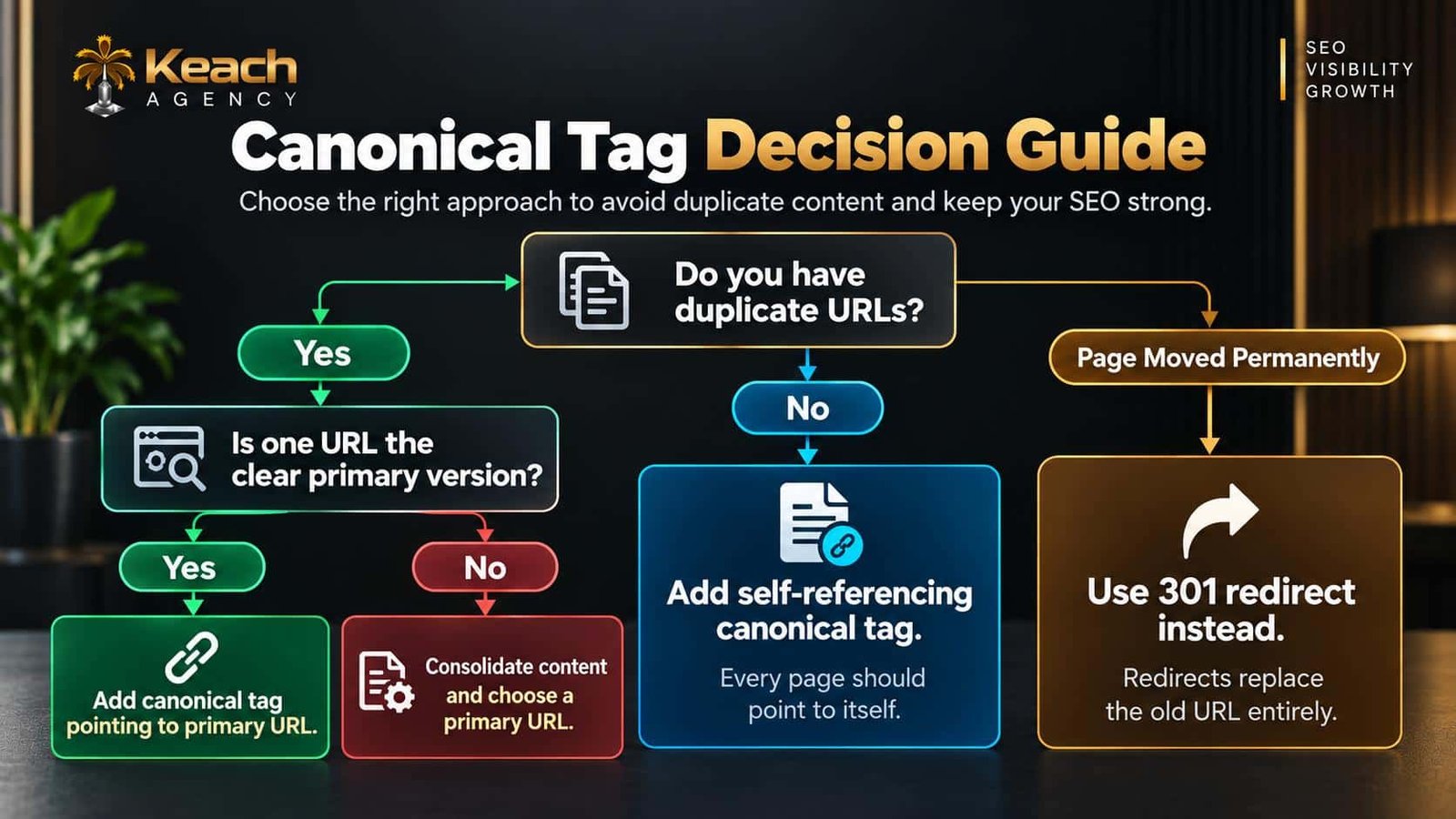
Canonical tags and redirects both address duplicates. But they serve different purposes.
A redirect sends users and search engines to a different URL. The original URL no longer exists. This is permanent and absolute.
A canonical tag keeps both URLs accessible. It just tells Google which one to prioritize. Users can still access either version.
Use redirects when a page has permanently moved. Use canonicals when multiple URLs need to exist but only one should rank.
Common Canonical Tag Mistakes
Canonical tags are simple in concept. Implementation is where mistakes happen.
Pointing to the Wrong URL
If the canonical points to a 404 or a redirect, Google gets confused. Always verify the target URL works.
Self-Referencing Errors
Every page should have a canonical tag. Even the primary version should point to itself. Missing self-referencing canonicals cause problems.
Conflicting Signals
If a page has a canonical tag pointing one way and a sitemap pointing another, Google gets mixed signals. Ensure all signals align.
Multiple Canonical Tags
Only one canonical tag per page. Multiple tags confuse Google. It may ignore all of them.
Here is a visual breakdown of canonical tag implementation:
Canonical Tag SEO and Ranking Signals
Canonical tag SEO is about consolidation. When multiple URLs have similar content, Google splits ranking signals between them. Links, engagement, and authority get divided.
A canonical tag fixes this. It tells Google to send all signals to one URL. That URL accumulates strength. It ranks higher. This matters most for e-commerce sites. Product pages often exist at multiple URLs. Without canonicals, none of them rank well. With canonicals, the primary URL gets full credit.
Canonicalization SEO for Large Sites
Large sites face unique challenges. Thousands of pages. Multiple parameters. Complex navigation. Managing canonicals manually becomes impossible.
Canonicalization SEO at scale requires automation. Content management systems can generate canonicals automatically. E-commerce platforms have built-in options. Technical SEO services configure these systems correctly.
The goal is consistency. Every page should have a canonical tag. Every tag should point to the right URL. Every signal should align.
Canonicals and Crawl Budget
Duplicate URLs waste crawl budget. Google spends time crawling pages that should not exist. That time could be spent on pages that matter.
This blog explains how to fix crawlability issues in SEO and ensure search engines focus on valuable content. Canonical tags reduce crawl waste. They tell Google which URLs matter. Google then allocates resources accordingly.
Auditing Canonical Tags
Regular audits catch canonical problems before they damage rankings.
Start by crawling your site. Tools like Screaming Frog show every canonical tag. Review the list. Look for errors. Check that every page has a canonical. Check that each canonical points to a valid URL. Check that signals align across sitemaps, internal links, and canonicals.
This resource covers technical SEO audit complete guide to finding website issues, including canonical errors.
Robots.txt and Canonicals
Robots.txt controls crawling. Canonicals control indexing. They work together. This guide breaks down robots.txt and how to control search engine crawling without blocking important pages.
If a page is blocked in robots.txt, Google cannot see its canonical tag. The tag becomes useless. Ensure canonicals and robots.txt do not conflict.
Technical SEO Services and Canonical Management
Managing canonicals across a large site requires expertise. Technical SEO services bring tools and experience. They audit existing canonicals. They fix errors. They configure systems to generate correct tags automatically. They also monitor for new issues. As sites grow and change, canonical problems emerge. Regular reviews keep things clean.
Best Practices for Canonical Tags
Follow these guidelines to avoid problems.
- Every page should have a canonical tag.
- Self-referencing canonicals are correct.
- Point to absolute URLs, not relative.
- Ensure the canonical URL is indexable.
- Align canonicals with sitemaps and internal links.
- Use only one canonical tag per page.
- Audit regularly for errors.
When to Use Canonicals vs Noindex
Canonicals and noindex serve different purposes. Canonical tags should be used when you want only one version of your webpage to be indexed by search engines. On the other hand, noindex is used for pages you don’t want to be indexed. If a page has noindex and a canonical, Google gets confused. Choose one approach based on your goal.
Conclusion
Canonical tags are simple but powerful. They tell Google which URL is the source of truth. They consolidate ranking signals. They prevent duplicate content from diluting your authority. Keach Agency helps businesses implement canonicals correctly. We audit existing tags, fix errors, and configure systems for ongoing accuracy. Do not let duplicate URLs hold your rankings back. Get your canonicals right and watch your performance improve.
Ready to Fix Your Duplicate Content?
Canonical errors quietly drain your rankings.
Get a professional review before small issues become big problems.
FAQs
What is a canonical tag?
Canonical tags are HTML codes that instruct the search engine about which page is the authoritative copy. This code will refer to the preferred URL.
Why do I have duplicate content on my site?
Duplicate content occurs due to several reasons, including the usage of URL parameters, WWW and non-WWW versioning, HTTP and HTTPS, Trailing slash, and CMS-generated archive pages.
How does a canonical tag work differently than a redirect?
The canonical tag makes two URLs available but lets Google know which one should be ranked. The redirect redirects the user to an entirely new URL. Use redirects for a permanent move. Use canonicals for duplicates.
What if my canonical tags are inaccurate?
An inaccurate canonical tag will confuse Google. It can even index the wrong URL, or not pay attention at all to the tags that you have provided. Your pages could become invisible in search engines or never get indexed.
When do I need to call on technical SEO services?
You will need to call in a professional when you have hundreds of pages on your website and complex navigation.