
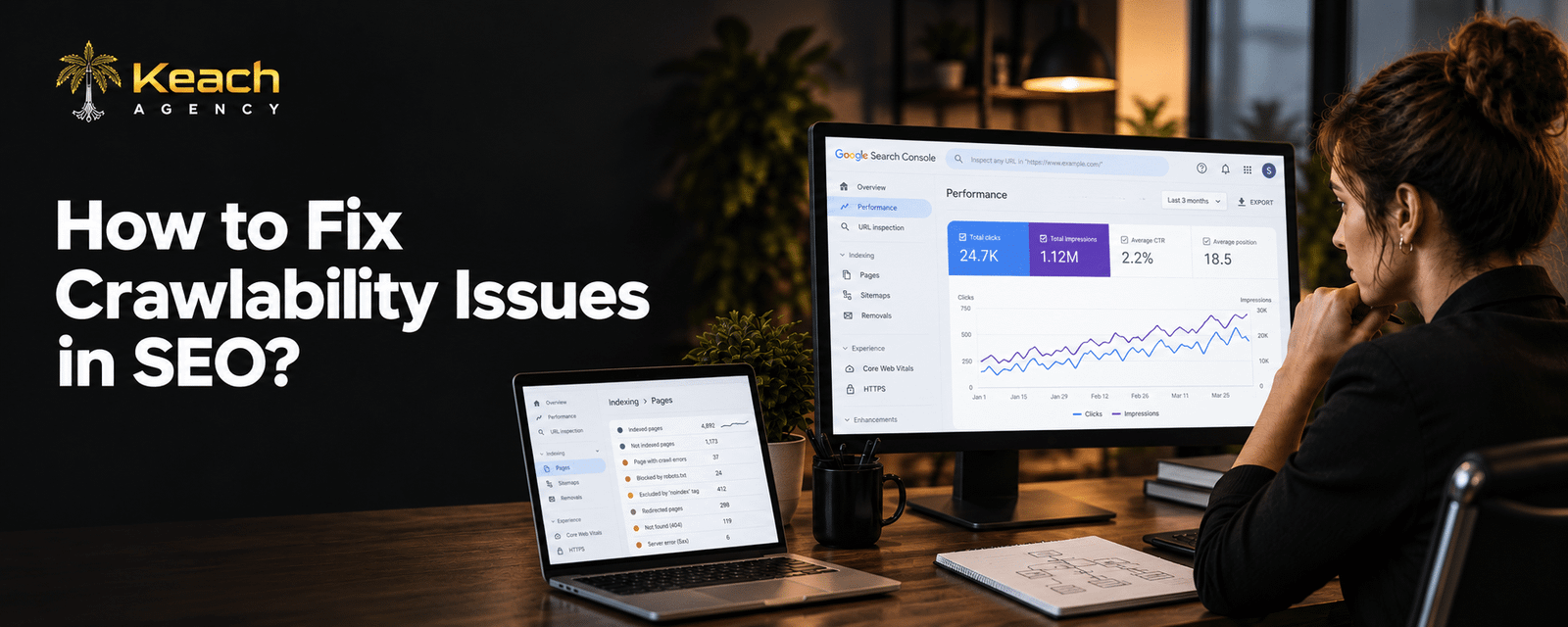
Your website has great content. You publish regularly. You optimize titles and meta descriptions. But your pages still do not rank. The problem might not be the content. It might be that search engines cannot find it.
SEO begins with crawlability. If Google can’t crawl your website, nothing else matters. You need to address the crawlability problems and SEO problems first. This article will explain the meaning of crawlability, its importance, and the solutions to crawlability problems.
What Crawlability Actually Means
The ability of search engine bots to browse through your website is known as crawlability. Bots, also referred to as spiders or crawlers, crawl through pages and links. They go through the content on your site and index it.
Crawlers get discouraged when there are obstacles for them on your website. Your pages may become unindexed, and rankings may fall off. There will be no more traffic coming through your website. The saddest thing is that the problem is not visible.
Common Google Crawl Issues
Several issues prevent crawlers from doing their job. Understanding these problems helps you fix them quickly.
Blocked Pages
Sometimes robots.txt files accidentally block crawlers from important pages. One wrong line of code can hide your entire site from search engines.
Broken Links
Crawlers follow links to discover content. When links lead to dead ends, crawlers waste time and miss pages.
Redirect Chains
Too many redirects confuse crawlers. They burn crawl budget and slow down indexing.
Server Errors
If your server crashes or responds slowly, crawlers give up. Frequent 5xx errors signal unreliability.
Poor Site Architecture
Deep page hierarchies make content hard to find. Pages buried under layers of navigation get crawled less often.
Not Sure If Crawl Errors Are Hurting Your Rankings?
Most sites have at least a few issues hiding beneath the surface.
How to Identify Crawlability Problems
You cannot fix what you cannot see. Identifying crawl issues requires the right tools and approach.
Google Search Console is the starting point. It shows crawl errors directly from Google’s perspective. The Coverage report lists pages that failed to index and why.
A website crawl simulator helps too. Tools like Screaming Frog mimic how search engines navigate your site. They reveal blocked pages, broken links, and redirect issues.
Website Crawlability Fixes That Work
Once you identify problems, fixing them becomes straightforward. Website crawlability improvements follow a logical process.
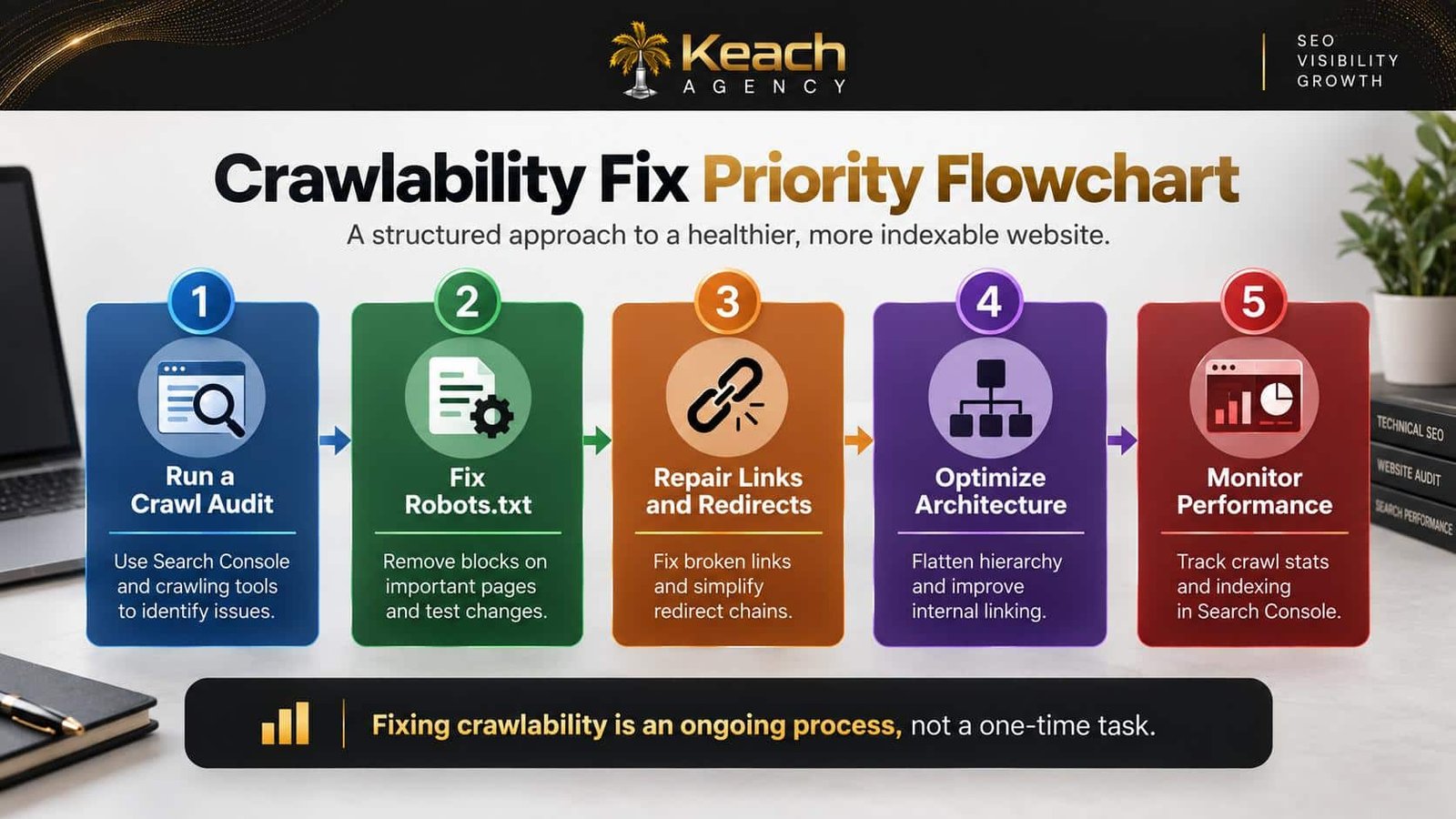
Fix Robots.txt
Review your robots.txt file. Make sure you are not accidentally blocking important pages. Test changes in Search Console before deploying.
Repair Broken Links
Find and fix broken links. Update URLs, remove dead links, or add redirects where appropriate. Regular link audits prevent this issue.
Simplify Redirects
Reduce redirect chains. Point links directly to final destinations. This saves crawl budget and improves page speed.
Improve Server Response
Upgrade hosting if needed. Monitor server uptime. Fast, reliable servers keep crawlers happy.
Flatten Site Architecture
Keep important pages within three clicks of the homepage. Use clear navigation and internal linking to help crawlers find content.
Here is a visual breakdown of the crawlability fix process:
Improve Crawlability With Technical SEO
Crawlability is one part of technical SEO. A full technical SEO service examines site speed, mobile usability, indexing, and more. These factors work together to determine rankings.
We explain a complete guide to a technical SEO audit to find website issues and how a professional audit uncovers hidden problems.
Why Crawl Budget Matters
Crawl budget refers to how many pages Google crawls on your site within a given time. Large sites with thousands of pages need to manage this budget carefully.
If crawlers waste time on low-value pages, important content gets ignored. Improving crawlability ensures search engines spend their time on pages that matter.
Mobile Crawlability
Google uses mobile-first indexing. This means the mobile version of your site determines rankings. If mobile pages have crawl issues, your rankings suffer.
Check mobile usability in Search Console. Fix issues like blocked resources, slow loading, and poor responsive design. A mobile-friendly site is essential for modern SEO.
Common Mistakes That Create Crawl Errors
There are some errors that may be easily committed. Placing a noindex tag on an incorrect page makes that page invisible in the search engine. Modifying the URL without creating any redirection causes broken links. Modifying the website structure without updating the internal links misleads crawlers. Regular audits help to detect these errors before anything gets damaged.
The Connection Between Crawlability and Rankings
Crawlability directly impacts rankings. Pages that cannot be crawled cannot be indexed. Pages that cannot be indexed cannot rank. It is that simple.
Fixing crawl errors and SEO issues often leads to quick ranking improvements. When Google can finally access your content, it rewards you with visibility. This is often the fastest SEO win available.
When to Hire Professional Help
Small sites can sometimes manage crawlability fixes in-house. But larger sites need professional expertise. A technical SEO service brings tools and experience that save time and prevent mistakes.
Consider professional help when your site has hundreds of pages, when traffic drops suddenly, or when you are planning a site migration. The investment pays off in recovered rankings and traffic.
Conclusion
Crawlability issues quietly sabotage your SEO efforts. They hide your content from search engines and prevent rankings. Fixing these problems should be your first priority. Keach Agency helps businesses identify and resolve crawl errors and SEO issues. Do not let technical problems hold your content back. Get the fixes you need and watch your visibility grow.
Ready to Fix Your Crawlability Issues?
Your content deserves to be found. Remove the barriers.
FAQs
What is crawlability in SEO?
Crawlability refers to the accessibility of your website for bots of search engines. Your web pages will only be indexed if they have good crawlability. Lack of crawlability implies that search engines cannot locate your content.
Why am I getting crawl errors on my website?
Crawl errors occur due to several reasons. They include blocked pages in the robots.txt file, broken links, server errors, and redirect chains, among others.
How do I know if my website has crawlability problems?
Use Google Search Console to detect any crawl problems from Google’s point of view. Crawling software like Screaming Frog acts like search engines and shows you what needs to be fixed.
When should I solve my crawlability problems?
You should solve all of them right away because otherwise you will lose ranking and visitors. Small problems become bigger and bigger if left unattended.
What is the fastest way to improve my crawlability?
Perform a crawl audit to detect any crawl problems first. Unblock your website in the robots.txt file and repair all broken links.