
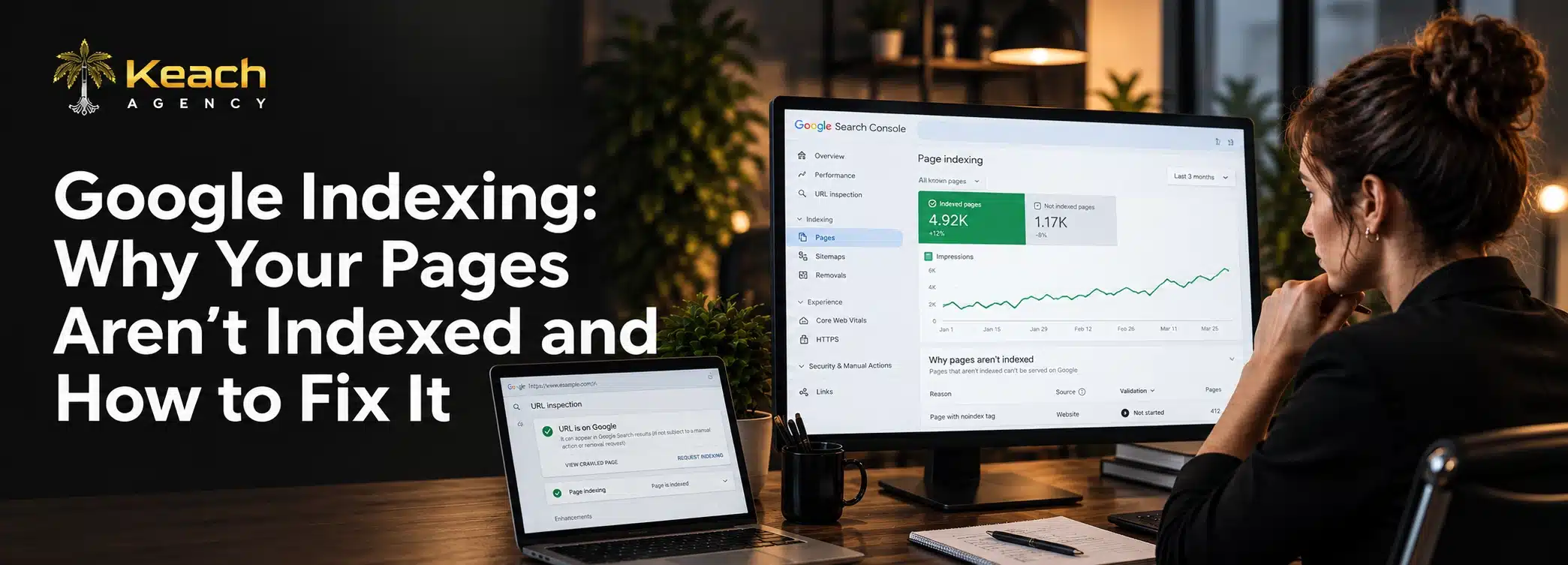
You published a page weeks ago. It has good content. The keywords are in place. But when you search for it, nothing appears. Google has not indexed it. The page exists but remains invisible to the people you want to reach.
This happens more often than most site owners realize. Google indexing is not automatic. The search engine makes decisions about what to include in its results. Sometimes it decides your page does not belong. Understanding why helps you fix the problem.
What Indexing Actually Means
The indexing process involves the storing of your web page in Google’s databases. Whenever someone does a search query, Google pulls from the databases and delivers the result. If your web page has not been indexed, it will not come up in the search.
Crawling happens first, in which Google finds your web page via the link or sitemap you have provided. The bots then analyze your page and decide whether or not to index it.
Common Reasons Pages Are Not Indexed
Several issues prevent Google from indexing pages. Some are technical. Others relate to content quality. Identifying the specific cause helps you fix it faster.
Noindex Tags
A noindex meta tag tells Google not to index a page. This is useful for private pages. It is disastrous when accidentally applied to important content.
Blocked by Robots.txt
The robots.txt file controls which parts of your site Google can crawl. If important pages are blocked, they never get indexed.
Canonical Issues
Canonical tags tell Google which version of a page is primary. Wrong canonicals point to the wrong URL, causing the actual page to be ignored.
Thin Content
Pages with little value often get skipped. Google does not want to fill its index with low-quality content.
Duplicate Content
When multiple pages have similar content, Google picks one to index. The others get left out.
Server Errors
Frequent server errors signal reliability problems. Google may delay or skip indexing pages from unstable sites.
Not Sure Why Your Pages Aren’t Showing Up?
The reasons vary. Finding the exact cause requires investigation.
Keach Digital Agency helps identify what is blocking your pages.
Website Indexing vs Ranking
Website indexing and ranking are different concepts. A page must be indexed before it can rank. But indexing does not guarantee ranking.
An indexed page exists in Google’s database. It can appear in search results. Whether it appears depends on relevance and authority. A page can be indexed but rank on page ten where nobody sees it.
This distinction matters. If your page is not indexed, no amount of optimization will help. Fix indexing issues first. Then focus on ranking improvements.
Pages Not Indexed in Google: Diagnosing the Problem
Google Search Console is your primary tool. The Pages report shows which URLs are indexed and which are not. It also explains why pages were excluded.
Common statuses include “Discovered but not indexed” and “Crawled but not indexed.” Each status points to a different problem.
“Discovered but not indexed” often means Google found the URL but chose not to crawl it yet. This can happen with new sites or pages with few internal links.
“Crawled but not indexed” means Google visited the page but decided not to include it. This usually indicates content quality or duplication issues.
Indexability SEO Fixes
Fixing indexability SEO problems follows a logical process. Start by identifying the specific issue.
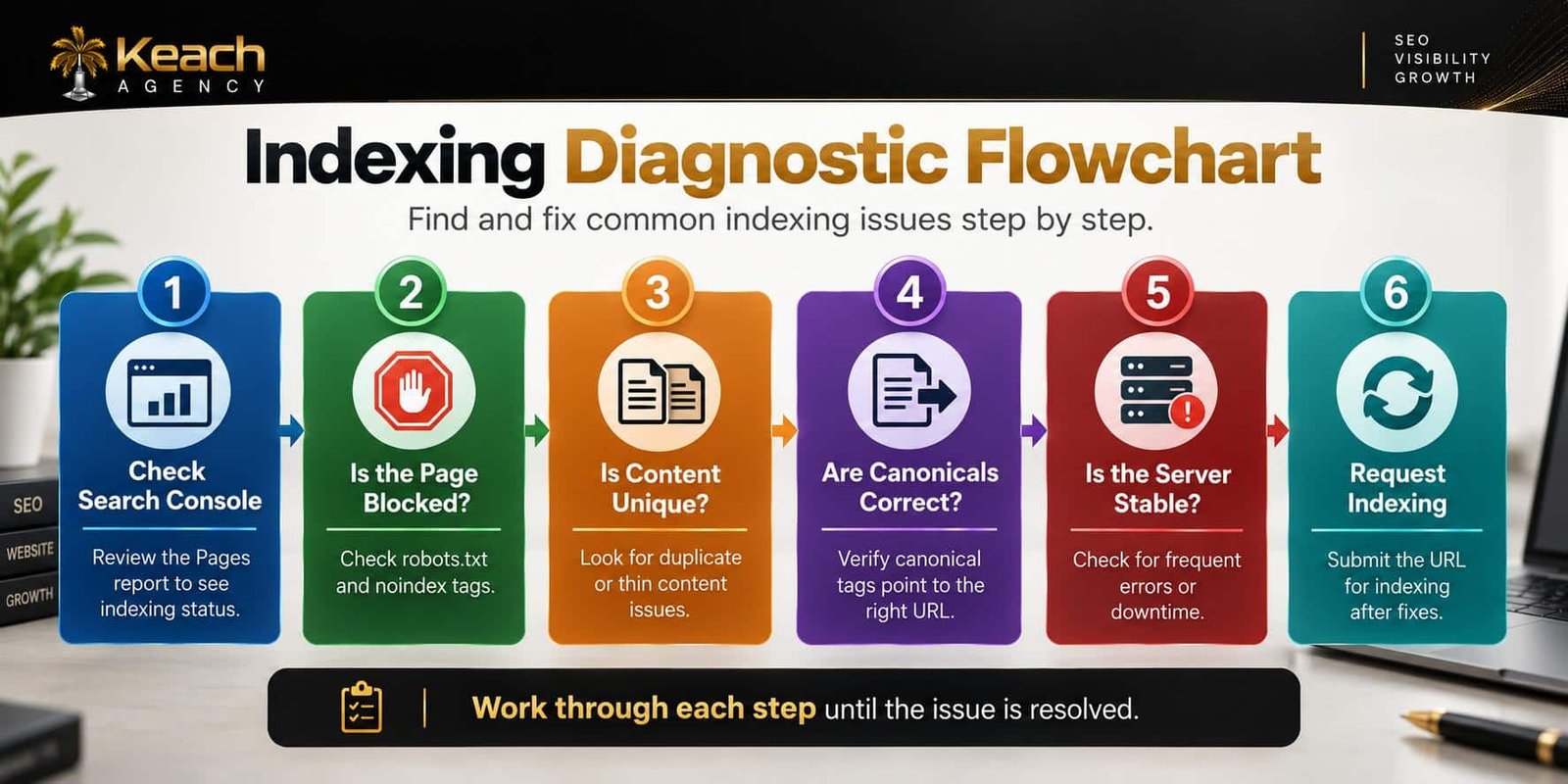
Check Noindex Tags
Review the page source. Look for noindex meta tags. Remove them if the page should be indexed.
Review Robots.txt
Ensure important pages are not blocked. Test changes in Search Console before deploying.
Fix Canonical Tags
Verify that canonical tags point to the correct URLs. Self-referencing canonicals work best for most pages.
Improve Content Quality
Thin content needs expansion. Add value. Answer questions. Provide depth that justifies indexing.
Resolve Duplicate Content
Consolidate similar pages. Use redirects to point duplicates to the primary version. This clarifies which page should be indexed.
Here is a visual breakdown of the indexing diagnostic process:
Technical SEO Service to the Rescue
Some indexing issues are easy to fix. Others require deeper investigation. A technical SEO service brings tools and expertise that save time.
Professionals use crawling software to simulate Google’s behavior. They analyze server logs to see how bots interact with your site. They identify patterns that cause indexing failures.
For complex sites with thousands of pages, professional help is essential. Manual diagnosis becomes impossible at scale.
Crawlability Issues and Indexing
Indexing problems often start with crawlability. If Google cannot crawl a page, it cannot index it. Crawl errors compound over time.
This guide explains how to fix crawlability issues in SEO and remove barriers to discovery.
Technical SEO Audit Complete Guide
A thorough audit reveals why pages are not indexed. It examines site structure, server health, and content quality. It provides a roadmap for fixes.
Check the technical SEO audit complete guide to find website issues and how to prioritize repairs.
Preventing Future Indexing Problems
Once fixed, keep issues from returning. Monitor Search Console regularly. Address errors quickly. Maintain clean site architecture.
Publish quality content consistently. Avoid thin pages that add no value. Use internal linking to help Google discover new content.
Regular audits catch problems early. Small issues stay small when addressed promptly.
When to Seek Professional Help
Some indexing issues resolve with simple fixes. Others require deeper technical work. If problems persist after basic troubleshooting, professional help makes sense.
A technical SEO service provides the expertise to diagnose complex issues. They understand how search engines work. They know what fixes deliver results.
Conclusion
Google indexing is not guaranteed. Pages can remain invisible for many reasons. Understanding those reasons helps you fix the problem. Keach Agency helps businesses diagnose and resolve indexing issues. Do not let valuable content sit unseen. Identify the problem. Apply the fix. Watch your pages finally appear where they belong.
Ready to Get Your Pages Indexed?
Invisible pages cannot drive traffic or revenue.
FAQs
What is the reason why my pages are not indexed by Google?
There are various reasons behind pages not being indexed by Google. Noindex tag, blocking by robots.txt, canonical issues, thin content, and server issues all affect the indexation process. Use Search Console to figure out the problem.
How long does it take Google to index a page?
The time it takes to index pages could be anywhere from a few days to even weeks. Submitting URLs through the Search Console will help speed things up.
What is the difference between Crawling & Indexing?
The term “crawling” refers to the activity of discovering and reading your page by Google. “Indexing” is the process of storing the page in the Google database. To get your page indexed, first, it needs to be crawled by Google.
How to Fix Pages Not Indexed on Google?
Remove noindex and robots.txt blocking, improve thin content, fix canonical errors, and submit a request for indexing in Search Console after making changes.
When Do I Need a Technical SEO Service?
If you cannot solve all SEO problems independently and there are many technical problems with your website, it is worth hiring an expert. Large websites with thousands of pages need professional attention.