

Search engines need help finding your content. They can follow links and discover pages naturally. But that process takes time. For large sites or new pages, waiting for discovery slows everything down.
An XML sitemap solves this problem. It acts as a roadmap for search engines. It lists every important page on your site. It tells Google where to look and how often to check back.
Most site owners know sitemaps exist. Fewer understand how to use them effectively. A poorly configured sitemap creates confusion. A well-optimized sitemap accelerates indexing and improves visibility.
What an XML Sitemap Actually Is
An XML sitemap is a file that lists URLs on your website. It uses a specific format that search engines understand. Each entry includes the page URL and optional details like last modified date and change frequency.
The file lives at a standard location. Usually it sits at yourdomain.com/sitemap.xml. Search engines check this location automatically. You can also submit it directly through Google Search Console.
Think of it as a table of contents for your website. It helps crawlers navigate efficiently.
Why XML Sitemap SEO Matters
An XML sitemap SEO has an effect on the speed and accuracy of indexing of your content. In the case when no sitemaps are used, then crawlers will use links to discover pages. This is effective on small websites. However, using this technique on large websites leaves room for errors.
Sitemaps make sure that each important page is discovered. They prioritize new content. They let Google know which pages have changed. All these cues help Google distribute its crawling resources efficiently.
For e-commerce websites with thousands of products, sitemaps are a must. For blogging sites with hundreds of posts, they help with indexing. For any website that needs its content to be indexed, they will do the job.
Sitemap XML Format Basics
Sitemap XML follows a specific structure. Each URL gets its own entry. Optional tags provide additional context.
Here is what a basic entry looks like:
- <loc>: The page URL
- <lastmod>: When the page was last modified
- <changefreq>: How often the page changes
- <priority>: Relative importance compared to other pages
The lastmod tag matters most. Google uses it to decide when to recrawl. Accurate dates improve efficiency. Inaccurate dates waste crawl budget.
Not Sure If Your Sitemap Is Helping or Hurting?
A broken sitemap creates more problems than no sitemap at all.
Common Sitemap Errors to Avoid
Several mistakes undermine sitemap effectiveness. Watch for these issues.
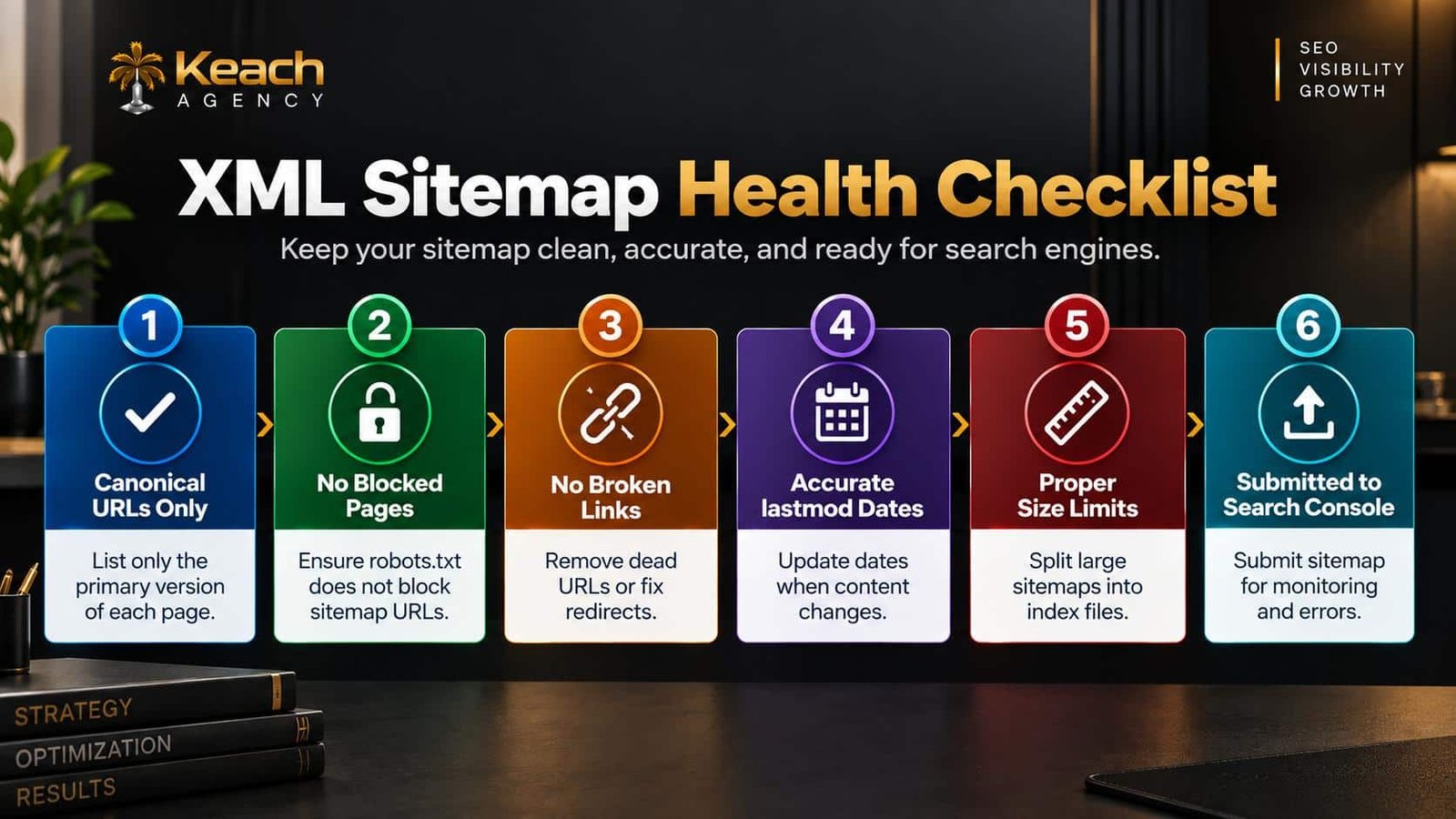
Including Non-Canonical URLs
Only canonical versions of pages should appear. Including duplicates confuses crawlers.
Listing Blocked Pages
If robots.txt blocks a page, it should not appear in the sitemap. Mixed signals cause problems.
Broken URLs
Dead links waste crawl budget. Remove them or fix the underlying issue.
Exceeding Size Limits
A single sitemap can contain up to 50,000 URLs. Larger sites need sitemap index files.
Outdated lastmod Dates
If dates never change, Google stops trusting them. Update accurately.
Here is a visual breakdown of sitemap health factors:
Google Sitemap Submission
Submission of your sitemap to Google is an easy process. Log in to Google Search Console. Go to Sitemaps. Add the URL of your sitemap file. Click Submit.
Google then processes the file. It reports any errors. It shows how many URLs were discovered. Monitor this section regularly. Fix issues as they appear.
You can also reference your sitemap in robots.txt. Add a line pointing to the sitemap location. This helps search engines find it automatically.
Sitemap Errors and How to Fix Them
Search Console reports sitemap errors clearly. Common issues include parsing errors, HTTP errors, and URL restrictions.
Parsing errors mean the XML format is broken. Check for missing tags or invalid characters. Use a validator to identify the problem.
HTTP errors mean Google could not access the sitemap. Check the file permissions. Ensure the URL is correct.
URL restrictions mean some pages cannot be indexed. Review robots.txt and noindex tags. Fix conflicts between signals.
Technical SEO Solutions for Sitemap Management
Large sites need automated sitemap generation. Manual updates become impossible at scale. Technical SEO solutions include plugins and tools that update sitemaps automatically.
WordPress sites use plugins like Yoast or Rank Math. These generate sitemaps dynamically. They update lastmod dates when content changes. They exclude non-canonical URLs automatically.
Ecommerce platforms have similar tools. Shopify, WooCommerce, and BigCommerce all offer sitemap generation. Configure these tools correctly to avoid errors.
Sitemaps and Crawlability
A sitemap improves crawlability by pointing crawlers to important pages. This guide explains how to fix crawlability issues in SEO and remove barriers to discovery.
Without a sitemap, crawlers rely on internal links. That works for well-structured sites. For sites with deep hierarchies or orphan pages, sitemaps fill critical gaps.
Sitemaps and Page Speed
Sitemap files should be small and fast to load. A bloated sitemap slows down crawlers. This resource covers Core Web Vitals and how website speed affects SEO, including crawl efficiency.
Sitemaps and Technical Audits
Sitemap issues often appear during broader audits. This guide covers technical SEO audit complete guide to finding website issues and how audits reveal sitemap problems alongside other technical issues.
Best Practices for Sitemap Optimization
Follow these guidelines to maximize sitemap effectiveness.
- Include only canonical, indexable URLs.
- Update lastmod dates accurately.
- Split large sitemaps into index files.
- Submit to Google Search Console.
- Monitor errors monthly.
- Exclude non-essential pages like tag archives.
These practices keep your sitemap clean and useful. Search engines reward clarity.
When to Review Your Sitemap
Sitemaps are not set-and-forget. Review them regularly. After major site changes, check for errors. After adding new content, verify inclusion. After removing pages, update the file.
Monthly reviews catch problems early. Quarterly audits ensure ongoing health. Consistent attention prevents small issues from becoming major problems.
Conclusion
An XML sitemap is a simple file with a big impact. It helps search engines find your content. It accelerates indexing. It improves crawlability. Keach Agency helps businesses optimize their sitemaps and resolve technical issues. Do not let a broken sitemap hold your site back. Fix the problems. Optimize the file. Watch your visibility grow.
Ready to Optimize Your Sitemap?
A well-built sitemap accelerates indexing and improves visibility.
FAQs
What is an XML sitemap?
XML sitemap is a document containing URLs of your site. This tool assists in the indexing of your site by search engines. The sitemap is placed in a fixed place and is submitted via Google Search Console.
Why does my site need a sitemap?
This tool guarantees discovery of all your essential webpages by search engine crawlers. Otherwise, crawlers use links to discover your pages only.
How can I send my sitemap to Google?
Log in to Google Search Console. Go to the Sitemaps option. Submit your sitemap’s URL. Google will process your file and tell you of any errors.
What are typical sitemap errors?
Some typical errors are broken URLs, blocked pages, duplicate content, and XML formatting problems. You will be informed about these through Google Search Console.
When should my sitemap be updated?
Your sitemap should be updated whenever changes, deletions, and additions have been made to your site. This is typically done automatically through the use of such tools. You can check your sitemap’s health once a month.