

Most people think web design begins with visuals. It usually does not.
There is a silent time before colors, fonts, or layout materialize when choices affect all that comes after. Websites that omit this step frequently seem OK but are hard to use, slow, or not useful. The problem is not often inventiveness. It is structure.
Web design works best when treated as a sequence.
Each decision builds on the previous one. Each stage removes uncertainty. This is why experienced designers rely on defined website design steps instead of jumping directly into aesthetics.
Understanding the 7 steps to web design helps explain why some websites feel intuitive from the first click, while others struggle despite strong visuals.
Not Sure Why Your Website is Not Performing as Expected?
Weak structure often hides behind good visuals.
Step 1: Clarifying Purpose
Every web design project starts with intent.
A website must serve a specific function. Generating leads, selling products, delivering information, and building credibility. Each goal demands different design priorities. Without clarity, design choices become subjective and inconsistent.
Purpose shapes everything.
Navigation, layout, content flow, and conversion paths all depend on this early definition. Among all stages of website design, this one quietly carries the most weight.
Step 2: Knowing the Audience
Web design is ultimately about behavior.
Different users interact with websites differently. Some skim quickly. Others compare details carefully. Ignoring these patterns often results in friction, even when the design looks polished.
Effective website design steps consider user expectations early. What visitors need, fear, and search for influences layout decisions far more than visual taste.
Step 3: Structuring Information
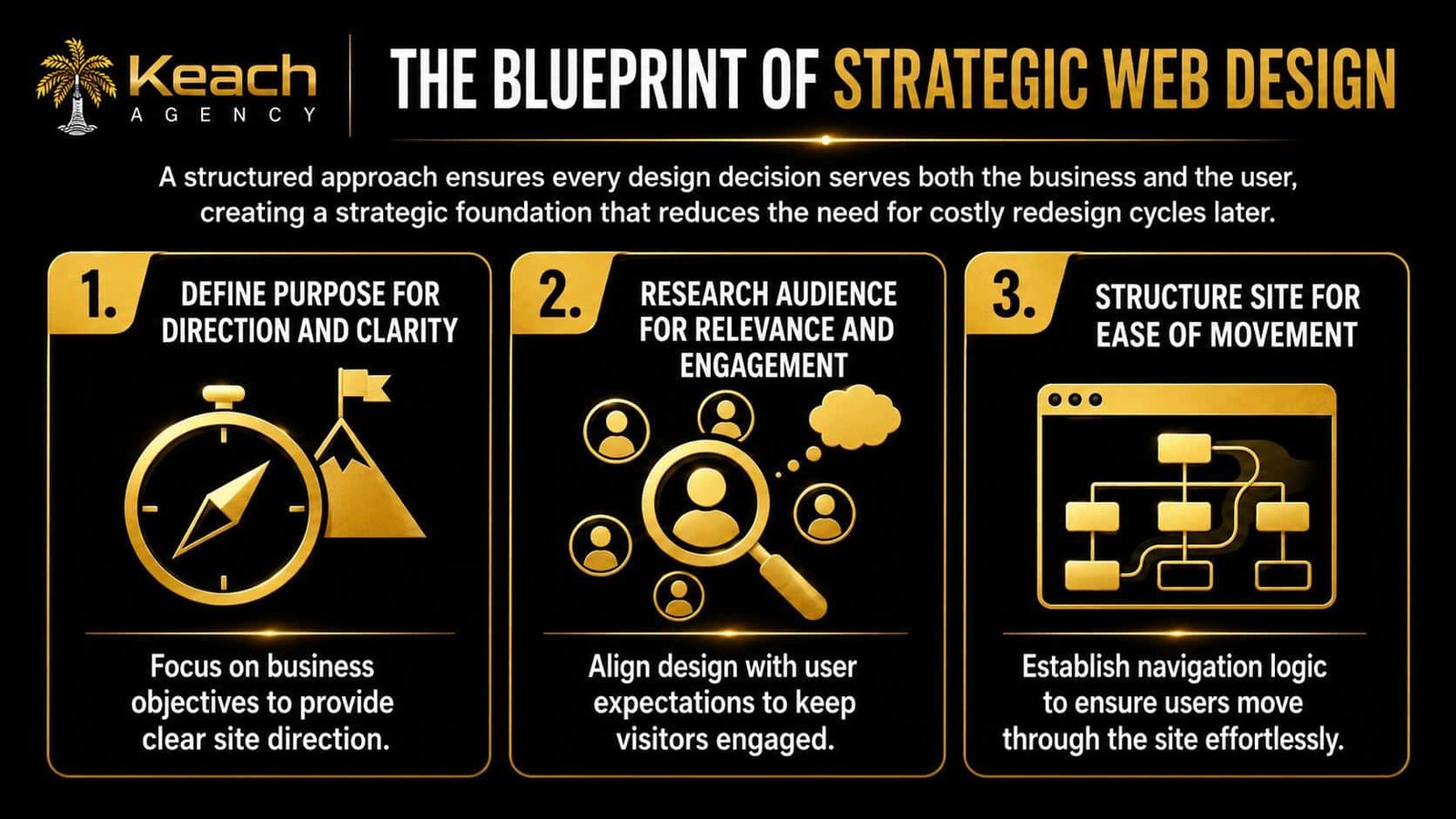
Before visuals, there is architecture. This stage of website design organizes content into a logical system. Pages, menus, categories, and linking paths are mapped to prevent confusion. Visitors should never wonder where to click next.
Poor structure increases cognitive load. Strong structure reduces effort.
Visual Overview of Core Structure
Step 4: Wireframing Layouts
Wireframes remove distraction.
They focus only on placement and hierarchy. No colors. No branding. Just lay out logic. This allows rapid experimentation without expensive revisions.
Layout decisions determine usability. Users scan pages visually. Element positioning influences comprehension speed, attention flow, and interaction behavior.
Step 5: Designing Visual Identity
This is where aesthetics enter.
Colors, typography, spacing, and imagery align the website with brand personality. Good web design ensures visuals support readability rather than overwhelm it. Visual design must reinforce function. Attractive interfaces without clarity rarely perform well.
Step 6: Integrating Content
Content gives structure meaning. Even strong layouts weaken when messaging lacks clarity or organization. Headings, spacing, and information sequencing influence how easily users absorb ideas.
Website design steps always treat content as functional design. Users decide quickly whether to stay or leave.
Does Your Website Look Fine, but Struggle to Convert?
Design gaps often exist beneath the surface.
Step 7: Testing and Refinement
Launch is not the finish line.
Real users behave unpredictably. Testing identifies navigation friction, slow-loading components, and unclear interaction paths. Minor refinements often produce measurable improvements.
Among all stages of website design, this one protects long-term performance. Optimization maintains relevance.
Why These Website Design Steps Matter
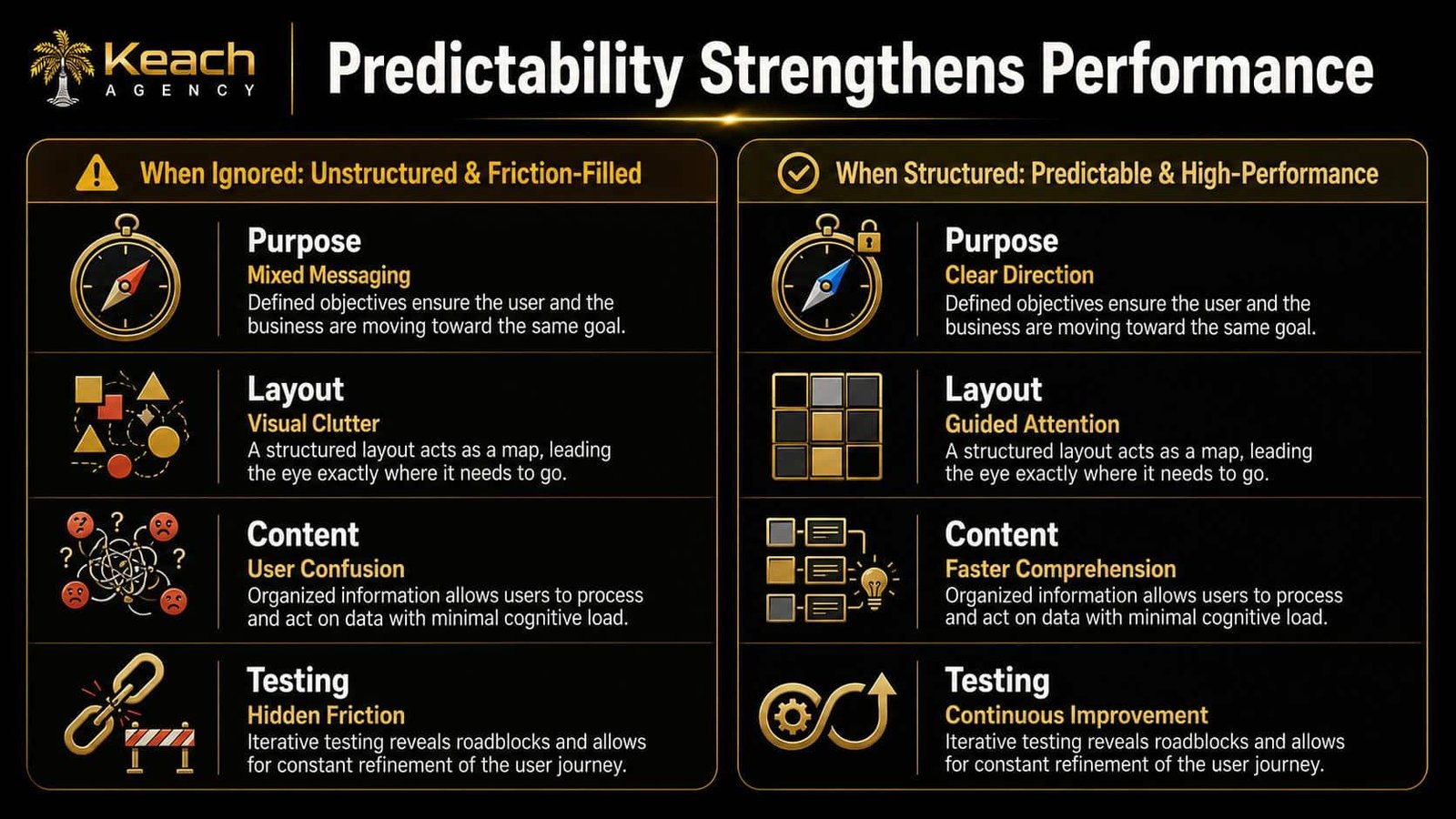
Many websites fail quietly. Not because of poor visuals, but because earlier website design steps were rushed or skipped. Structure, clarity, and usability form the backbone of effective web design.
Design is cumulative. Each step supports the next.
Simple Impact Comparison
Planning a New Website or Redesign Project?
Random design decisions often lead to unstable results.
Keach Agency builds structured, conversion-focused web design.
FAQs
What are the stages of website design?
When people initially start developing a website, they normally set goals, learn about their audience, organize the structure, model the layout, add visual style, and test. The things get easier to use and understand with each level, and the risk goes down. If all the procedures aren’t followed, structures can get weaker, which can make them less effective.
Why are the 7 steps to web design important?
They tell you what to do first. Designers don’t only look at what looks good; they also make sure that structure, usability, and business goals are all in line. This makes things run more smoothly and lowers the cost of making changes that were made too soon.
Can a website succeed without structured web design?
It is feasible to be successful in the short term. It’s hard to know if things will stay stable in the long run. Without a clear plan on how to design a website, problems with navigation, mixed messages, and barriers to conversion are typical.
How do layout decisions affect user behavior?
Users look at interfaces with their eyes. The way elements are positioned affects how quickly people pay attention, understand, and interact. Structured layouts naturally assist consumers, which makes things easier and less confusing.
When should web design optimization begin?
Right after launch. Real usage data shows where things go wrong that are hard to see coming. Websites stay useful as user expectations change when they are constantly improved.