

A URL change sounds simple. You move a page. You update the link. Done. But search engines see something different. To them, the old URL still exists. It still has history. It still holds whatever authority it earned over time.
Redirects solve this problem. They tell browsers and search engines where to find content at its new address. But not all redirects are the same. A 301 and a 302 look almost identical to a visitor. They mean very different things to Google. Using the wrong one creates problems that take months to fix.
What a Redirect Actually Does
When someone visits a URL that has moved, the server responds with a redirect status code. The browser then sends the visitor to a new location. This happens in milliseconds. The visitor barely notices.
Search engines follow redirects too. They discover that a URL has changed. They update their index accordingly. How they treat that change depends on the type of redirect.
The two most common types are 301 and 302. Each sends a different signal. Each serves a different purpose.
Understanding 301 Redirects
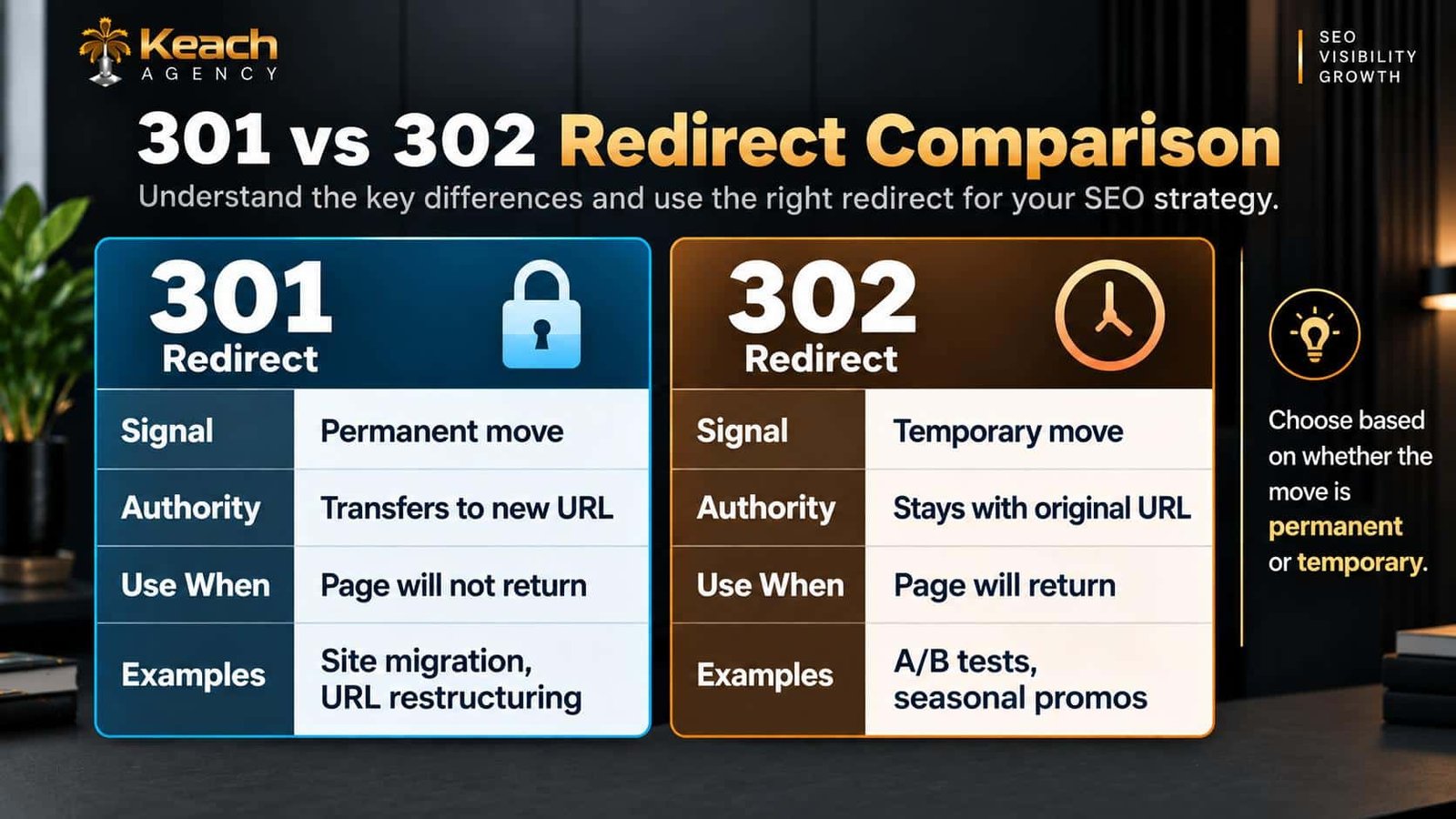
A 301 redirect tells search engines that a page has moved permanently. The old URL is gone for good. The new URL is the official replacement.
This matters because of how Google handles authority. When a 301 is used, Google transfers ranking signals from the old URL to the new one. Backlinks pointing to the old page now count toward the new page. The authority built over time carries over.
This is the redirect you use for permanent changes. Site migrations. URL restructuring. Consolidating duplicate content. Any time a page moves and will not return, a 301 is the right choice.
Understanding 302 Redirects
A 302 redirect tells search engines that a page has moved temporarily. The old URL still exists in Google’s mind. It remains the canonical version. The new URL is just a stand-in.
This means ranking signals do not transfer. Backlinks still point to the old URL. Authority stays with the original page.
This is the redirect you use for temporary situations. A/B tests. Seasonal promotions. Maintenance pages. Any time a page will return to its original URL, a 302 is appropriate.
301 Redirect SEO Impact
301 redirect SEO is about preservation. When you move a page permanently, you want to keep the authority it earned. A properly implemented 301 does that.
The key word is properly. Mistakes happen. A redirect chain with multiple hops dilutes authority. A redirect pointing to a 404 wastes it entirely. A slow redirect frustrates users and crawlers.
When done right, a 301 passes nearly all ranking power to the new URL. The page may dip temporarily in rankings. It usually recovers within weeks.
Not Sure Which Redirect to Use?
The wrong choice costs rankings and authority.
Redirect SEO Mistakes to Avoid
Several errors undermine redirect effectiveness.
Redirect Chains
A redirect that points to another redirect that points to another. Each hop wastes crawl budget and dilutes authority. Point directly to the final destination.
Redirect Loops
A redirect that points back to itself. This creates an infinite loop. Browsers and crawlers cannot resolve it. The page becomes inaccessible.
Redirecting to Irrelevant Pages
Sending users to a page that does not match their intent frustrates them. Google notices high bounce rates. Rankings suffer.
Using 302 for Permanent Moves
This is a common mistake. A 302 tells Google the move is temporary. Authority stays with the old URL. If the move is permanent, you lose the benefit of the redirect.
Here is a visual breakdown of redirect types and their signals:
When to Use Each Type
The decision comes down to permanence. Will the old URL ever be used again? If no, use a 301. If yes, use a 302.
Site migrations always use 301s. You are moving content to a new structure permanently. The old URLs are retired.
Temporary promotions often use 302s. You redirect traffic to a landing page for a sale. When the sale ends, the original page returns. Maintenance pages use 302s. You redirect to a notice while work is done. Once complete, the redirect is removed.
Redirect Chains and Their Impact
A redirect chain happens when one redirect points to another redirect. This often occurs during site migrations or when multiple team members make changes without coordination.
Each hop in the chain adds latency. The browser must request each URL in sequence. This slows down the user experience. It also wastes crawl budget. Google spends time following chains instead of indexing content.
The fix is simple. Point redirects directly to the final destination. Audit regularly to catch chains before they grow.
Redirect Errors and How to Find Them
Redirect errors are common but easy to miss. Tools like Screaming Frog and Google Search Console reveal them.
Look for chains longer than one hop. Look for loops that never resolve. Look for redirects pointing to 404 pages. Each error represents lost authority and frustrated users. Regular audits catch these issues before they cause damage. Monthly checks are ideal for active sites.
Redirects and User Experience
Redirects are not just an SEO concern. They affect real people. A slow redirect frustrates visitors. A redirect to an irrelevant page makes them leave.
The best redirects are invisible. Users click a link and land where they expect. No delay. No confusion. This matters for conversions. Every friction point reduces the chance of a sale. Smooth redirects keep users engaged.
Working With a Technical SEO Agency
Managing redirects across a large site requires expertise. A technical SEO agency brings tools and experience. They audit existing redirects. They fix chains and loops. They configure new redirects correctly.
They also monitor for issues as the site evolves. Redirects multiply over time. Without oversight, they become a tangled mess that drags down performance.
Best Practices for Redirect Implementation
Follow these guidelines to avoid problems.
- Use 301 for permanent moves.
- Use 302 for temporary moves.
- Point directly to the final destination.
- Avoid chains and loops.
- Update internal links to point to new URLs.
- Test redirects after implementation.
- Audit regularly for errors.
Conclusion
301 redirects and 302 redirects serve different purposes. One preserves authority for permanent moves. The other handles temporary situations without transferring signals. Using the wrong type costs rankings and wastes the authority you have built. Keach Agency helps businesses implement redirects correctly. We audit existing configurations, fix errors, and ensure every redirect serves its purpose. Get this right, and your site maintains its strength through every change.
FAQs
What is the difference between a 301 and 302 redirect?
A 301 redirect indicates a permanent move. It transfers ranking authority to the new URL. A 302 redirect indicates a temporary move. Authority stays with the original URL.
When should I use a 301 redirect?
Use a 301 when a page has moved permanently and will not return. This includes site migrations, URL restructuring, and consolidating duplicate content.
When should I apply a 302 redirect?
Apply a 302 redirect if the resource is temporarily moved. This includes A/B testing, holiday promotions, and maintenance resources. Original URLs will become active again.
Why are redirect chains harmful for SEO?
Redirect chains consume crawl budget and weaken link equity. With each intermediate step, there is added latency and signal loss. Create a single redirect to your final destination.
How can I detect my redirect mistakes?
Detect mistakes with the help of Screaming Frog and Google Search Console. Watch out for loops, chains, and redirects to 404 error pages.