

If you’re a marketer in 2026, you already know this: Google Analytics 4 (GA4) isn’t optional anymore. It’s the core of every data-driven marketing, the tool that tells you what’s working, what’s not, and where your revenue is really coming from.
But here’s the real problem…
Most marketers are still using GA4 as if it’s Universal Analytics, and that’s exactly why they struggle.
This guide breaks GA4 down in a simple, practical way so you can track smarter, measure accurately, and make decisions that actually grow your business. Whether you’re brand new or upgrading your analytics setup, you’ll finally understand GA4 the way it’s meant to be used.
Need GA4 Set Up Professionally?
We can configure your events, funnels, dashboards, and conversions for accurate tracking.
Why GA4 Matters For Marketers In 2026
GA4 isn’t just another analytics update, it’s a complete transformation in how we measure user behavior.
Marketers rely on GA4 because it:
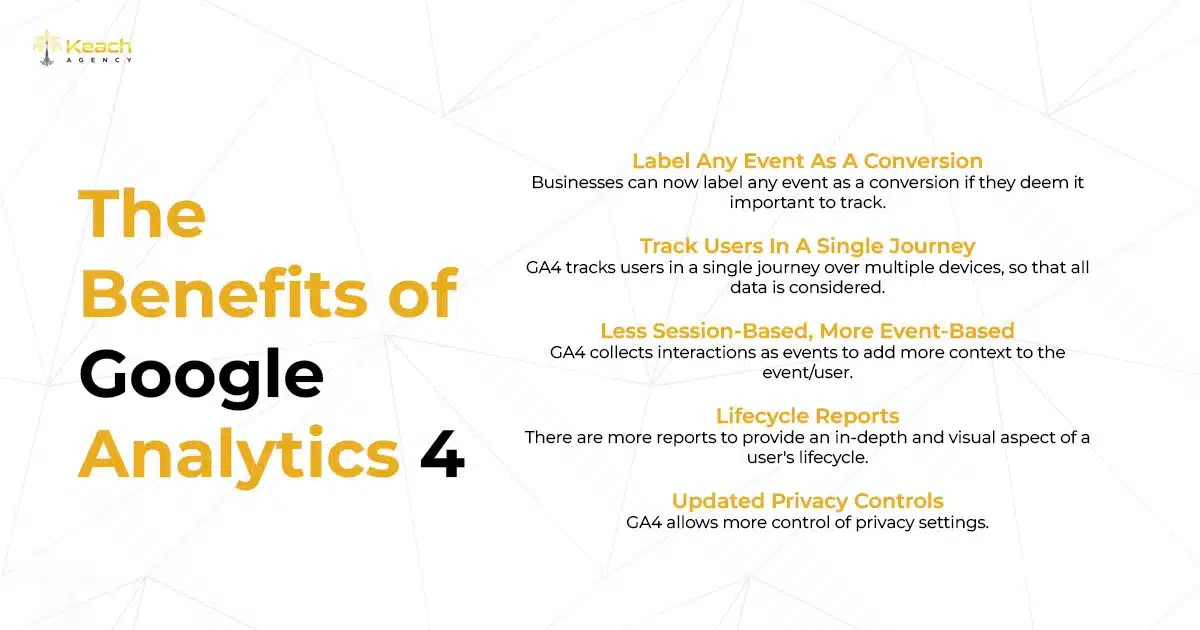
- Tracks the full customer journey.
- Measures behavior across mobile, desktop, and apps.
- Uses events, not outdated sessions.
- Offers predictive insights through machine learning.
- Makes conversion tracking easier, cleaner, and more accurate.
GA4 gives you actionable insights, not just numbers. Instead of guessing, you finally know what drives engagement, conversions, and long-term growth.
Understanding GA4’s Event-Based Tracking (The Biggest Shift)
The biggest change in GA4 is simple:
Sessions = Events
Everything a user does is now measured as an event,
Including:
- Pageviews.
- Scrolls.
- Clicks.
- Form submissions.
- Purchases.
- Video engagement.
- Add-to-cart actions.
This means more flexibility, more accuracy, and a deeper understanding of how people interact with your content. All in all, our digital marketing services are built around exactly the concerns and knowledge people look for when wanting seamless online marketing.
Key GA4 Events Every Marketer Must Track
If you want GA4 to truly work for you, these events should be part of every setup:
1. Page-view
Shows top-performing content, landing page effectiveness, and drop-offs.
2. Scroll
Reveals how deeply users engage with your pages.
3. Click
Tracks CTA interactions, menu navigation, and engagement hotspots.
4. View item / add-to-cart / purchase
Essential for ecommerce insights and revenue attribution.
5. Generate lead
Captures form submissions, sign-ups, and lead magnet conversions.
Tracking these correctly gives GA4 enough data to deliver accurate insights and powerful predictions.
Confused By GA4 Reports?
Learn how to analyze your data like a true marketing analyst.
GA4 Conversion Analytics: What Actually Matters
GA4 organizes everything around user behavior, which means you get a clearer path to understanding conversions.
Here’s what you should analyze regularly:
1. Paths to Conversion
Which channels, pages, and sequences lead users toward your goals?
2. User Engagement
Metrics like engaged sessions, scroll depth, and engagement time tell you the strength of your content.
3. Acquisition Channels
Which channels bring users who actually convert?
4. Funnel Reports
Where do users drop off and why?
5. Audience Insights
Build retargeting lists like:
“Added to cart but didn’t purchase”
“Viewed pricing page but didn’t convert”
This is where GA4 becomes a true decision-making tool.
Setting Up GA4 Correctly (A Simple Step-by-Step)
Here’s the cleanest setup roadmap for marketers:
1. Install GA4 on your site
Using Google Tag Manager (recommended) or direct code.
2. Configure essential events
Page views, scrolls, clicks, form submissions, purchases.
3. Mark your key events as conversions
GA4 only counts what you define as a conversion.
4. Build custom reports
Use Explorations to analyze funnels, segments, and user paths.
5. Connect GA4 with Google Ads
For better optimization, smarter bidding, and lower CPA.
6. Create dashboards
Use Looker Studio for clean, visual reporting your team can actually understand.
How GA4 Strengthens Your Data-Driven Strategy
GA4 doesn’t just give you data, it gives you clarity. With proper GA4 conversion analytics,
You can:
- Improve landing pages.
- Identify conversion barriers.
- Lower acquisition costs.
- Build smarter retargeting audiences.
- Increase your overall ROI.
Pair GA4 with attribution insights, and your data-driven marketing becomes more effective.
Want deeper insights on Data-Driven Marketing in 2026? Read our joining blog and get started.
Want Higher Conversions With Better Analytics?
We’ll optimize your GA4 + marketing funnel for maximum ROI.
FAQs
What makes GA4 different from Universal Analytics?
GA4 uses event-based tracking, focuses on privacy, and measures cross-device behavior, making it much more accurate.
Do I need Google Tag Manager?
It’s not required, but it makes event tracking far easier and cleaner.
Which GA4 events should I track?
Start with page views, scrolls, clicks, leads, and purchases, then add events tied to your goals.
How does GA4 improve conversion tracking?
It tracks the entire customer journey, uses machine learning, and gives deeper insights into what triggers conversions.
Is GA4 useful for small businesses?
Absolutely. Even simple setups offer powerful insights that can boost results quickly.